When it comes to connecting your trailer to your vehicle, having the proper wiring is essential for both safety and functionality. One common type of trailer plug is the 4-wire plug, which is used for basic trailers that do not have any additional features like brakes or auxiliary power. Understanding how to wire a 4-wire trailer plug is important for anyone who regularly tows trailers.
Before you begin the wiring process, it is important to have a clear understanding of the color coding for the wires in a 4-wire trailer plug. Typically, the wires are color-coded as follows: white for ground, brown for tail lights, yellow for left turn/brake lights, and green for right turn/brake lights. It is important to double-check the color coding on your specific trailer plug before beginning the wiring process.
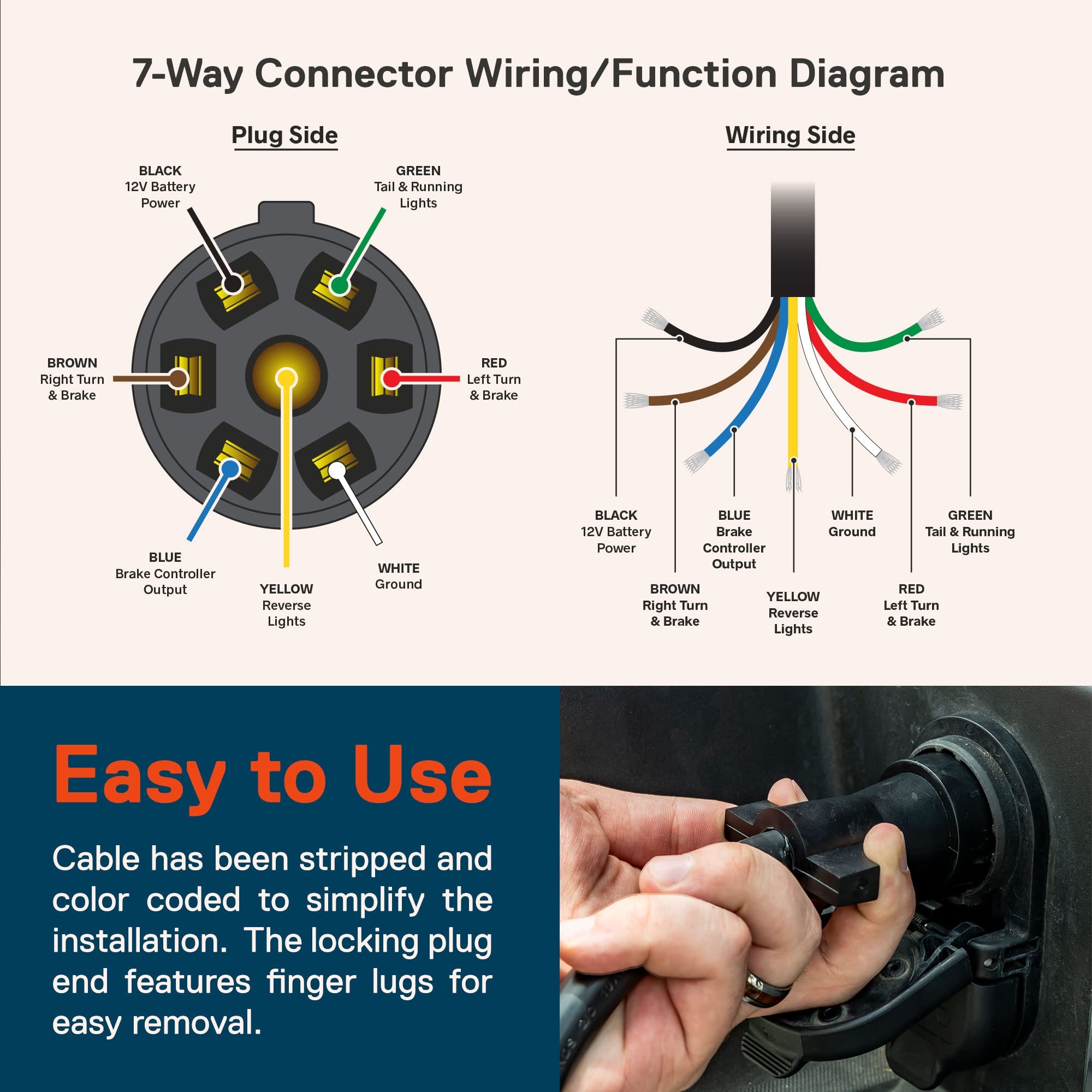 4 Wire Trailer Plug Wiring Diagram
Start by stripping the ends of the wires on both the trailer side and the vehicle side of the plug. Connect the white wire to the ground terminal, the brown wire to the tail light terminal, the yellow wire to the left turn/brake light terminal, and the green wire to the right turn/brake light terminal. Make sure to securely fasten the wires to their respective terminals to ensure a strong connection.
Once all the wires are connected, do a final check to make sure everything is properly wired and secure. Test the trailer lights by having someone stand behind the trailer while you activate the vehicle’s lights. Check that the tail lights, brake lights, and turn signals are all functioning properly. If everything is working as it should, you are ready to hit the road with your trailer in tow!
Remember, proper wiring is essential for the safety of both yourself and others on the road. Taking the time to correctly wire your 4-wire trailer plug will ensure that your trailer lights function properly, making your towing experience safer and more efficient. If you are unsure about the wiring process, don’t hesitate to seek help from a professional or someone with experience in trailer wiring.